ReimaginingUX AnnotationwithMLLMs
Transforming UI screenshots into structured UX annotations using language and vision models — shifting humans from tedious annotators to strategic reviewers.
Before & After Showcase
See the results with a side-by-side comparison.
Nike App
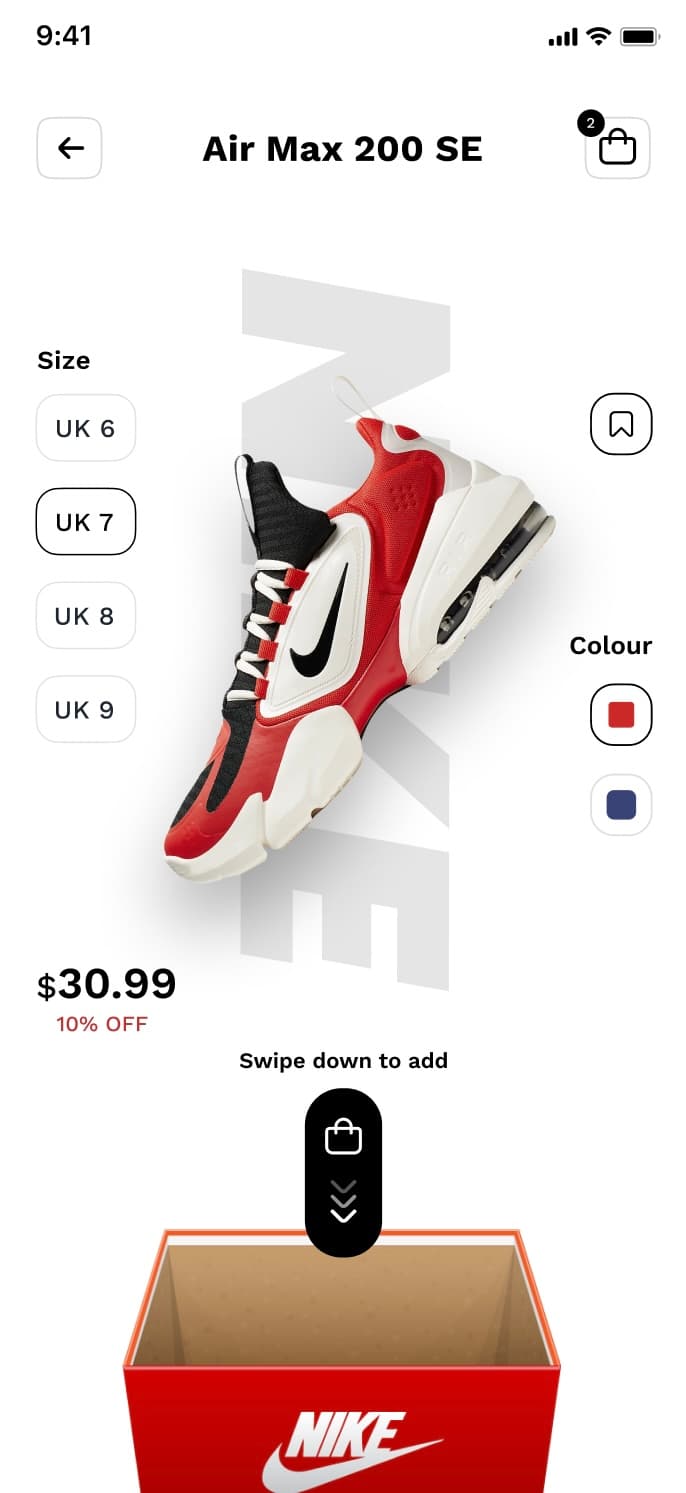 BEFORE
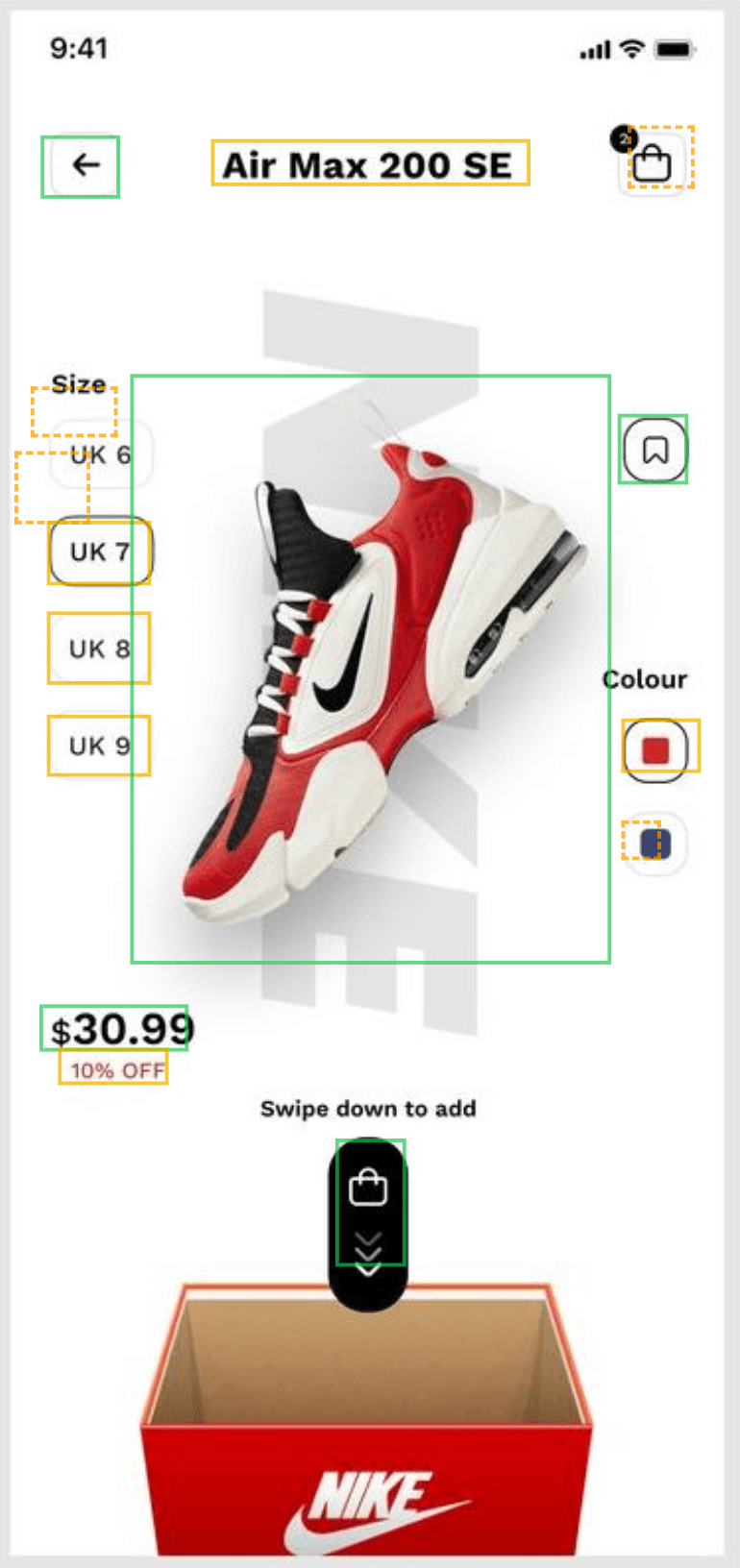 AFTER
AFTERSlide the bar to compare before and after versions.
18
Elements Detected
6
Components Identified
90s
Analysis Duration
Small Touches, Big Difference
Thoughtful details shape seamless, trustworthy experiences, often in ways we don't even notice. Here are some real-world examples of small, but impactful touches.
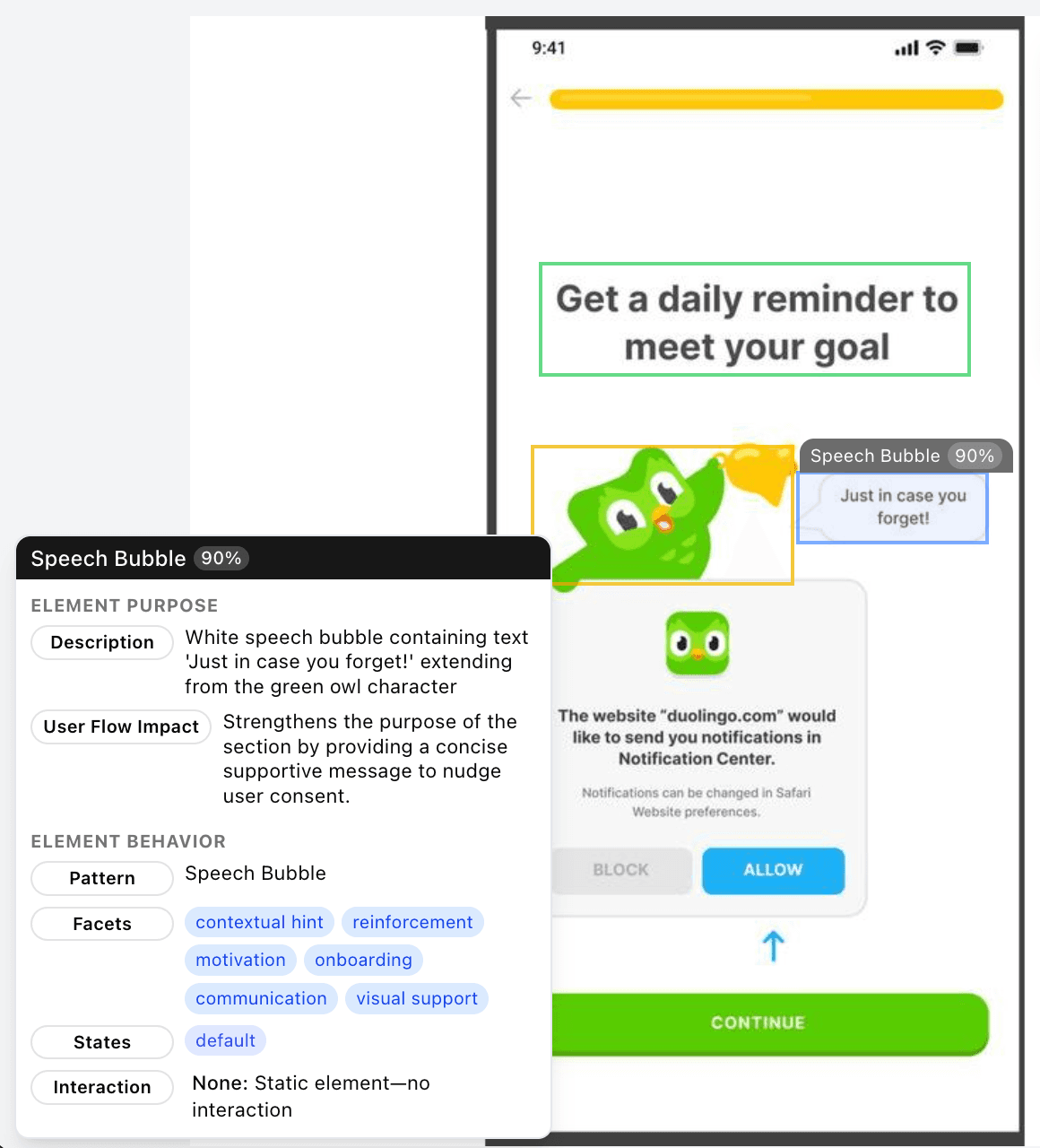
Building Trust with Friendly Prompts
A candid speech bubble reduces friction and communicates trust, making users feel comfortable and understood during onboarding.
Problem & Solution
What is the problem we are trying to bridge?
The Pain Point: Manual UX Annotation
Painfully Slow
Manual bounding boxes & metadata tagging devour design hours, delaying projects.
Highly Inconsistent
Varied annotator styles lead to inconsistencies.
Error-Prone Process
Repetitive manual tasks increase human mistakes in labeling and classification.
Impossible to Scale
Manual workflows bottleneck innovation and can't match rapid design iterations.
The Solution: AI-Powered Automation
Automated UI Detection
AI detects and identifies UI elements in your screenshots.
Predrawn Bounding Box
Vision Language Model pre-draws UI element boundaries based on AI-extracted descriptions, accelerating the annotation process.
Component Annotation
LLM models grasp overall component function and context without explicit training.
Impact on Workflow
"Empower designers to create, not just catalogue. Let AI handle the heavy lifting."
Bogged down by tedious, repetitive clicking. Drained by manual data entry.
Elevated to reviewer. Focused on UX quality & insights. Driving innovation at speed.
Core Technologies
An overview of the primary technologies and services used in this application.
How The Pipeline Works
Leveraging cutting-edge ML technology to transform UI screenshots into detailed annotations
Label & Description Extraction
AI generates clear labels and functional descriptions for each UI element.
Context-Aware Prompt Engineering
Designs spatially grounded prompts that steer the model to focus on relevant UI elements based on visual hierarchy and layout context.
Automated UI Element Detection
VLM detects UI elements based on descriptions & draws bounding box coordinates.
Tree-Based Structural Grouping
Transforms flat element lists into hierarchical trees to accurately distinguish components from their nested sub-elements.
Rich Metadata Extraction
Augments each component with detailed UX metadata, including user flow impact, behavior & interaction specifications, element types, and state definitions.
Parallelized Processing Pipeline
Processes run concurrently across images. 6 images, 160+ elements in under 6 minutes, significantly outperforming manual efforts.